How to Wipe Your Phone Before Selling It (And Actually Make Sure It’s Gone)
Wiping your phone properly isn’t complicated, but it does require a few deliberate steps.
That factory reset might not be doing what you think.
You’ve decided to sell your old phone. Great, but before it leaves your hands, there’s one step most people either rush or get wrong. And given how much of your life lives on that device, it’s worth getting right.If you’re wondering how to wipe your phone before selling it, the answer isn’t always as simple as hitting “factory reset”.
Why wiping your phone properly matters
Take a second to think about what’s on your phone: photos, emails, banking apps, saved passwords, social media logins. An improperly wiped phone can still contain traces of that data, which means you could be handing over access to a stranger without realising it.
The National Cyber Security Centre (NCSC) recommends fully erasing personal data before selling or giving away a device, because phones often retain access to sensitive accounts.
This is also one of the main reasons people don’t sell old phones at all, the process feels uncertain, so they do nothing.
How to wipe your phone before selling it?The key is doing things in the right order.
1. Back up your data
Before anything else, make sure everything important is saved, photos, contacts, and accounts. Also move any two-factor authentication apps to another device so you don’t lose access.
2. Sign out of your accounts
Remove your Apple ID or Google account from the device. This prevents issues like activation locks for the next user.
3. Use the official reset option
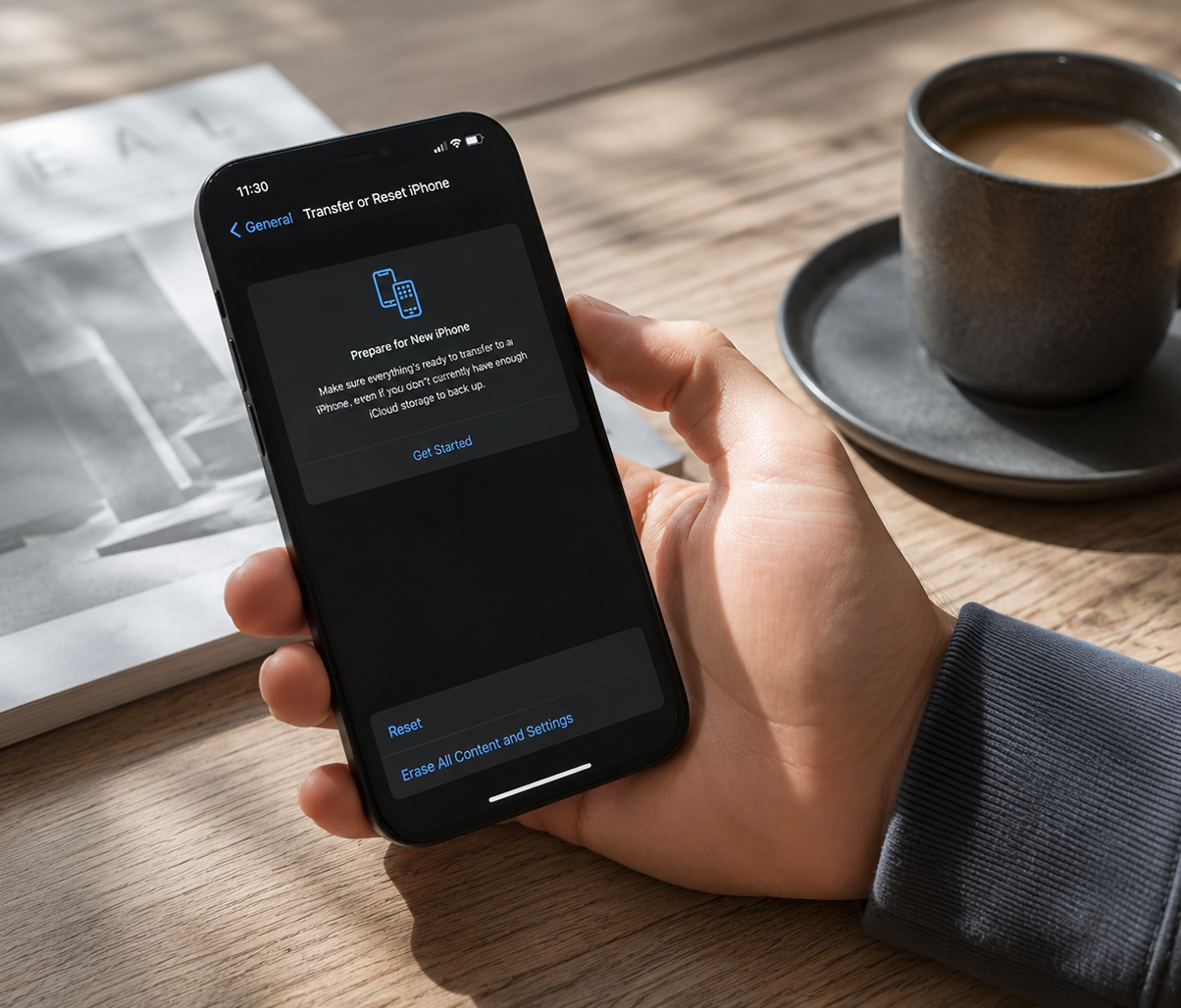
Use your phone’s built-in “Erase all content and settings” (iPhone) or “Factory data reset” (Android). This is designed to securely remove your personal data.
4. Check encryption (Android)
Most modern Android phones are encrypted by default, but on older devices, enabling encryption before resetting helps ensure your data can’t be recovered.
5. Remove SIM and memory cards
These aren’t wiped during a reset and can still contain personal information.
Why this step stops people
For most people, the issue isn’t laziness, it’s uncertainty.
Not being 100% sure your data is gone, not knowing if you’ve missed a step, or worrying about security is often enough to stop people from selling or recycling their devices altogether.
Even the Information Commissioner's Office (ICO) treats secure data disposal as a serious responsibility. The same principle applies to individuals, if your data is on a device, it’s up to you to remove it properly.
Making it simple
That’s where Retapp changes things.
Instead of handling everything yourself, Retapp connects you with trusted refurbishers and recyclers who follow recognised data-erasure processes as standard. That means you don’t have to second-guess whether your information has been properly wiped.
It turns a technical, uncertain process into something straightforward and reliable.
The bottom line
Wiping your phone properly isn’t complicated, but it does require a few deliberate steps.
Or, if you’d rather not think about it at all, you can use a service that builds secure data handling into the process from the start.
Either way, once you know how to wipe your phone before selling it, it becomes much easier to finally let it go.